Print jobs
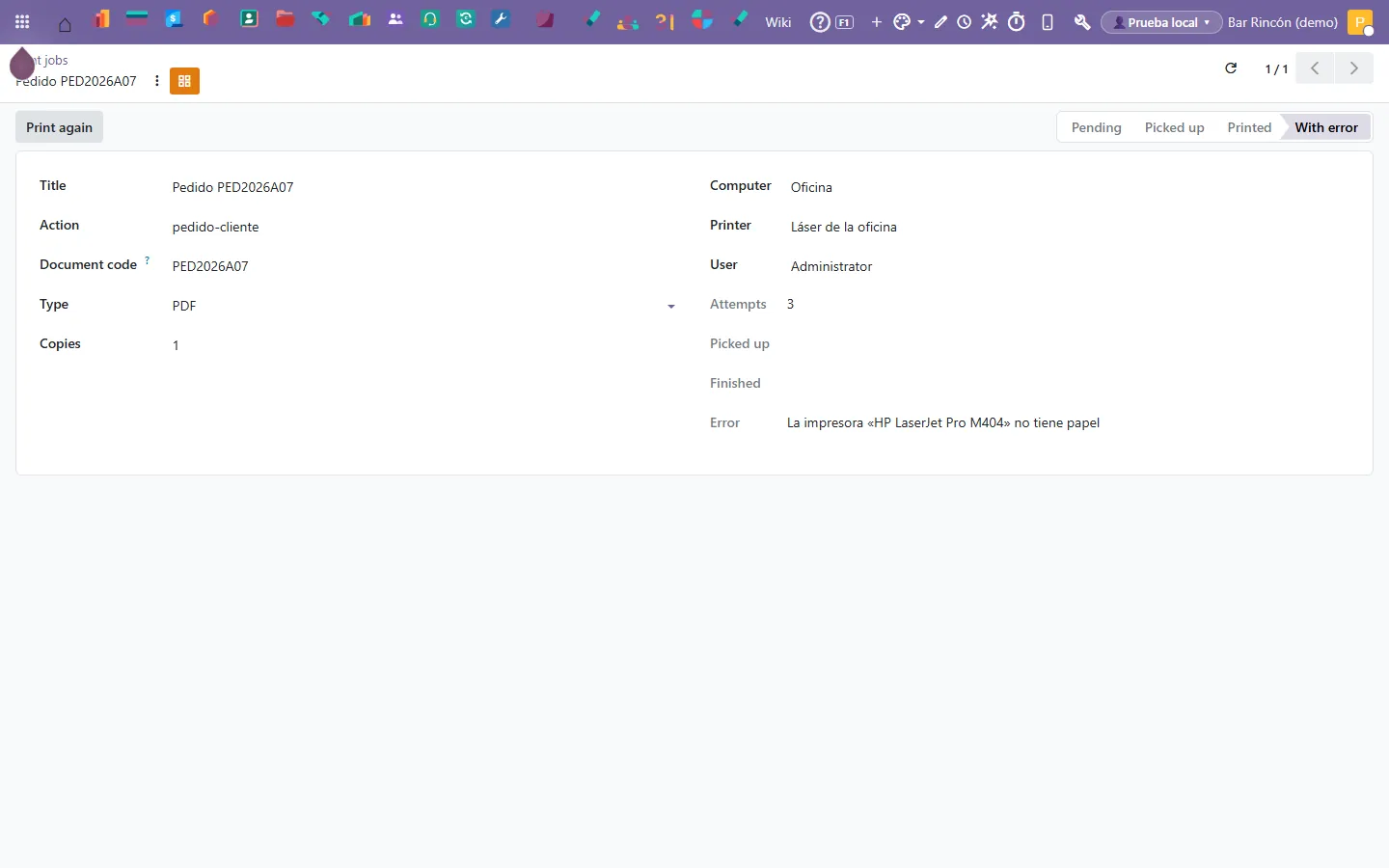
The history and the queue. Each print is a job that goes through Pending, Picked up, Printed or With error.

▶ In motion: print jobs, point by point.
- 1Print again puts the job back to Pending, clears the error and the computer picks it up again.
- 2Pending: waiting for the bridge. Picked up: the bridge has it and is printing it (if it does not answer in 3 minutes it is offered again). Printed: finished. With error: the bridge could not print it. Expired: it had been more than 24 hours without going out.
- 3The title, the action, the document code (names the copy the computer saves), the type (PDF or raw ZPL/ESC-POS) and the copies.
- 4Who requested it, to which computer and printer, how many attempts it has had and the bridge's error message.
- 5The list with all the jobs, the most recent at the top. The history is cleaned after 60 days.
How it is done
- Open Print jobs.
- Search the document by title or action.
- If it shows an error, read the message and press Print again.
Rating
There are no comments for now.
to be the first to leave a comment.