Printers
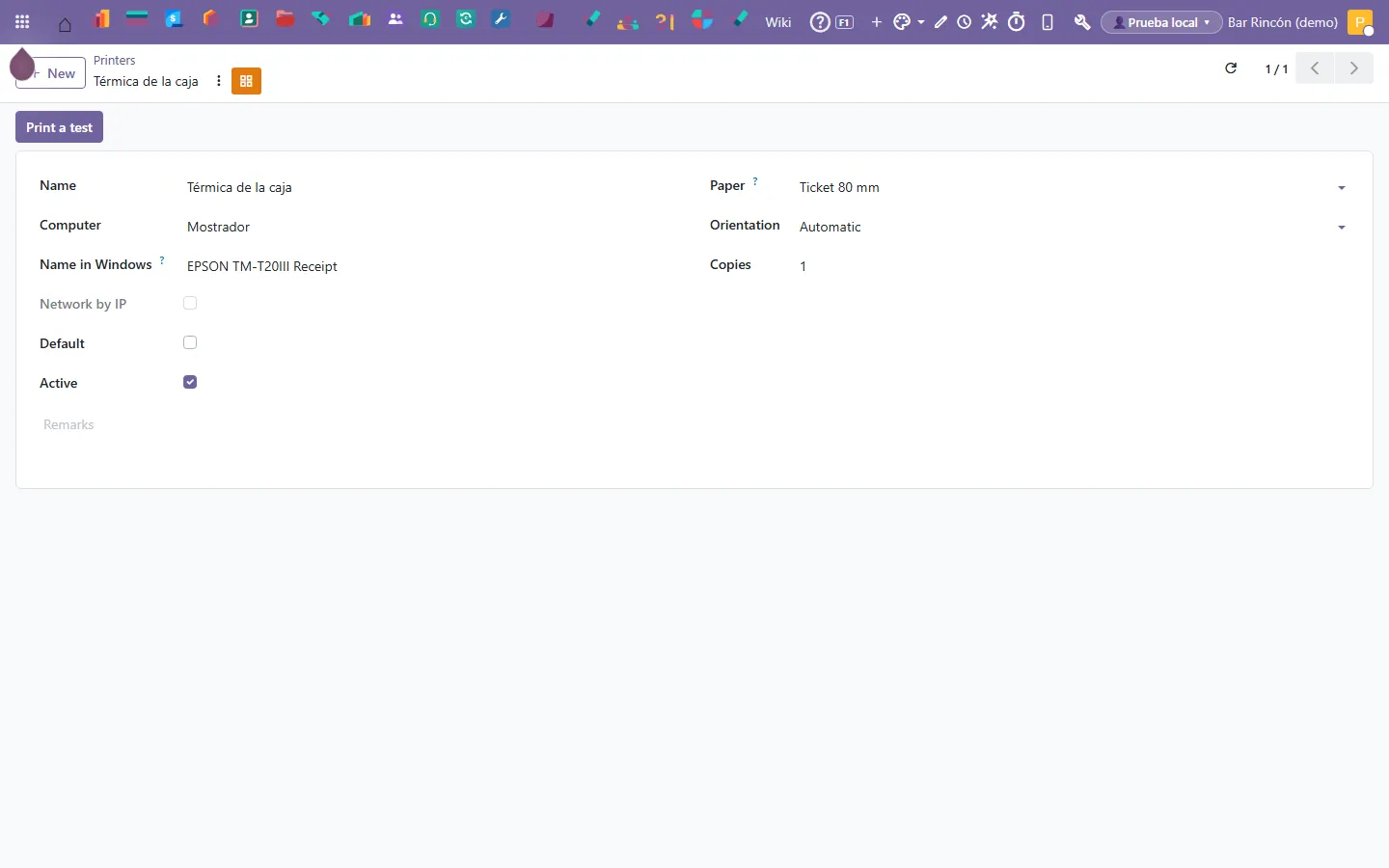
The printers each computer uses: Windows ones, by name, or network ones by IP in the form tcp://IP:9100. Each has paper, orientation and copies, and only one is the default.

▶ In motion: printers, point by point.
- 1Print a test sends an Odoo test page with the printer and computer name. It does not come out on network printers by IP, which only receive raw commands (for them, a test label).
- 2The name in Windows must be exact; for a network printer that is not installed type tcp://192.168.1.50:9100 (needs Print Bridge 1.6 or higher). «Network by IP» is checked automatically.
- 3Paper (A4, A5, Letter, Legal or Ticket 80 mm for ticket printers), orientation (automatic, portrait or landscape) and copies (1 to 99).
- 4Default: the one used when no other rule chooses. When you check one, the others are unchecked.
How it is done
- Open Documents › Direct printing › Printers (administrators only) and press New.
- Type a name («Office laser») and choose the computer.
- In «Name in Windows» copy the exact name shown on the computer's form, or type tcp://IP:9100 for an uninstalled network printer.
- Set the paper (A4, A5, Letter, Legal or Ticket 80 mm), the orientation and the copies; tick «Default» if it is the general one.
- Save and press «Print a test»: within seconds a page with the printer and computer names comes out.
Rating
There are no comments for now.
to be the first to leave a comment.