GERP ODOO Course
Completed
Your email accounts (IMAP/SMTP) inside Odoo: folders, read, reply, forward, compose with attachments and signature, and save an email on the customer or supplier record.
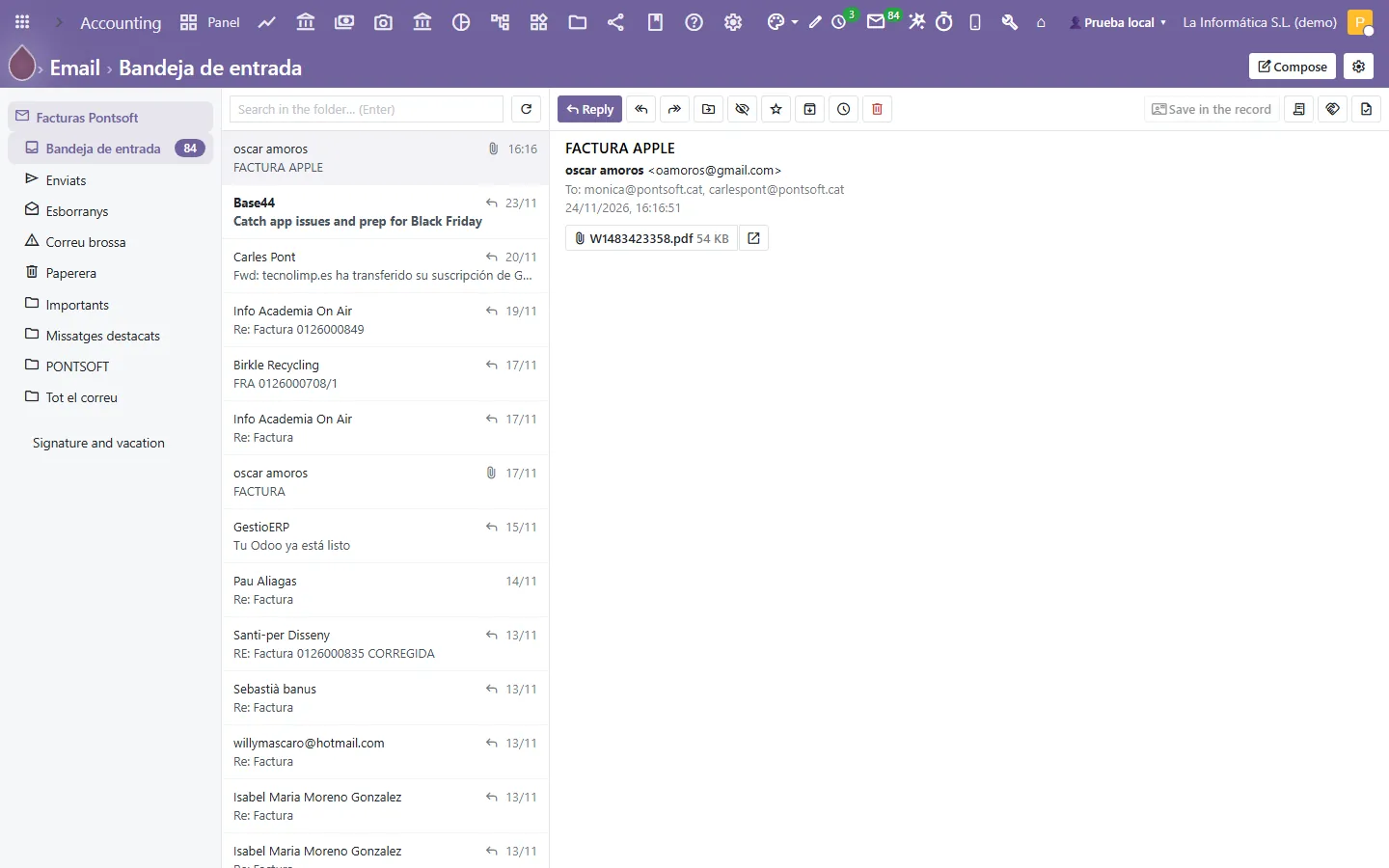
1. Tray
Three columns; on mobile, one.

▶ In motion: tray, point by point.
- 1Each account with its folders and unread items.
- 2Sender, subject, date; search box.
- 3Reply, Forward, Move, Delete, «Save in the record», create opportunity or task.
Keyboard
| ↑↓ | Messages |
| Enter | Open |
| R | Reply |
| Del | Delete |
| Esc | Back |
2. Write an email
«Compose».
3. The email folders
«Move».
4. The connection test
«Test connection».
5. Create an opportunity from an email
«Create» › Opportunity.
6. The email attachments
Below the message.
7. The email signature
Signature field.
8. Several email accounts
Each user sees theirs.
9. Search an email
Search above the list.
Frequently asked questions
How do I read my email in Odoo?
Mail › Accounts: IMAP and SMTP server and «Test connection»; then the Inbox.
How do I write a new email?
«Compose».
How do I move an email?
«Move».
How do I check the account works?
«Test connection».
How do I turn an email into an opportunity?
«Create» › Opportunity.
How do I download an attachment?
Below the message.
How do I set my signature?
Signature field.
How do I have two accounts?
Each user sees theirs.
How do I search an email?
Search above the list.
Why can't I see Correo?
If you can't see it, your internal user lacks the «correo» permission: the administrator grants it in Home › Internal users.
Your email accounts (IMAP/SMTP) inside Odoo: folders, read, reply, forward, compose with attachments and signature, and save an email on the customer or supplier record.
There are no comments for now.