GERP ODOO Course
Completed
Permissions, one by one
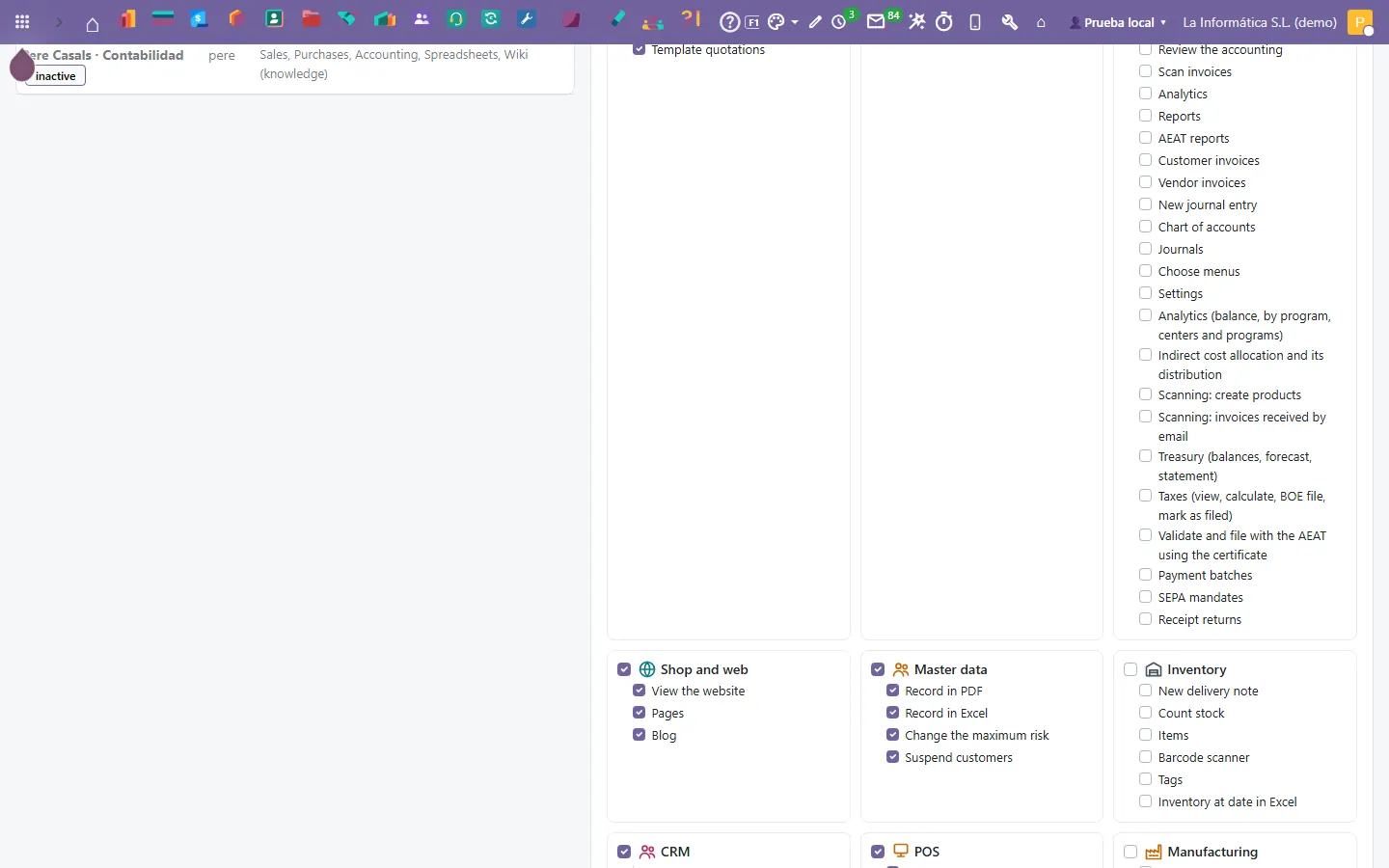
This is the complete catalog of permissions of this GERP ODOO: each section and, inside it, what can be checked. It is what appears in «What they can see» for each internal user.
Sales
- New quote
- New order
- New delivery note
- New invoice
- Customers
- TPV
- Sales analysis
- Fees
- Invoice fees
- View passwords of the fees
Purchases
- New order
- Supplier invoice
- Scan invoices
- Suppliers
- Scanning: create products
- Scanning: invoices received by email
- Expenses: scan receipts with AI and reports
- Expenses: approve expense reports
Accounting
- Result of the year
- Accounting journal entries
- Account ledger
- Transfer the bank
- Bank statement
- Bank statements
- Collections
- Payments
- Ledger balances
- Monthly balance
- Review the accounting
- Scan invoices
- Analytics
- Reports
- AEAT reports
- Customer invoices
- Supplier invoices
- New journal entry
- Chart of accounts
- Journals
- Choose menus
- Settings
- Analytics (balance, by program, centres and programs)
- Allocation of indirect costs and its distribution
- Scanning: create products
- Scanning: invoices received by email
- Treasury (balances, forecast, statement)
Master data
- Record in PDF
- Record in Excel
- Change the maximum risk
- Suspend customers
Warehouse
- New delivery note
- Count stock
- Products
- Barcode reader
- Labels
- Inventory at date in Excel
CRM
A single permission: you have it or you don't.
TPV
- Collect
- Returns
- Discounts and changing prices
- Open drawer and cash movements
- Cash count and cash register close
- Cancel lines and parked tickets
- View other people's cash register
Manufacturing
- New order
- New bill of materials
Repairs
A single permission: you have it or you don't.
Marketing and contacts
- Marketing
- Contacts
Calendar
A single permission: you have it or you don't.
Projects
A single permission: you have it or you don't.
Documents
- Direct printing
- Document signing
- Signature templates
Support
- Equipment
- Stages
- Service level agreements (SLA)
- Labels
- Ticket types
- Reports
- Predefined replies
- Hours charged
SAT
- Technician app
- Maintenance contracts
- Workshop
- Customer equipment
- Preventive maintenance
- Email templates
- Reports
- Technicians
- Departments
- Job types
- Technical wiki
TimeTracker
- Clock in
- Hours report
- Time log (PDF)
- Open the kiosk
- Worker app
- Load holidays
- Assign holidays
- Manage: correct clockings, approve absences, documents, concepts, calendars and employees
Top bar icons
- Botón de aplicaciones (los 9 puntos)
- Studio (la llave)
- Mobile view (the circle)
- Conversations (messages)
- Pending activities (the clock)
- Calls
- Hours timer
- AI assistant (Ask me)
- Solicitudes de firma (el lápiz)
- Preferencias del menú de aplicaciones (la paleta)
External document storage
- Move the existing files or bring them back
Quality
- Control points
- Quality alerts
- Email accounts
Spreadsheets
- Spreadsheet labels
Custom lists
- Create and change lists
- Export to Excel/PDF/JSON
Wiki (knowledge)
- Create and change products
- Restore and empty the trash
AI assistant
- Ask about the data
Clock in (yourself)
A single permission: you have it or you don't.
Menu options, one by one
Además, el apartado «Opciones de los menús» deja elegir, de las 386 opciones de los menús de arriba, cuáles ve la persona. Sin marcar ese apartado ve todas las de sus tableros; al marcarlo, solo las que se elijan. Están todas en la lección «Los menús de arriba, opción por opción».
The complete catalog.
There are no comments for now.