The top menus, option by option
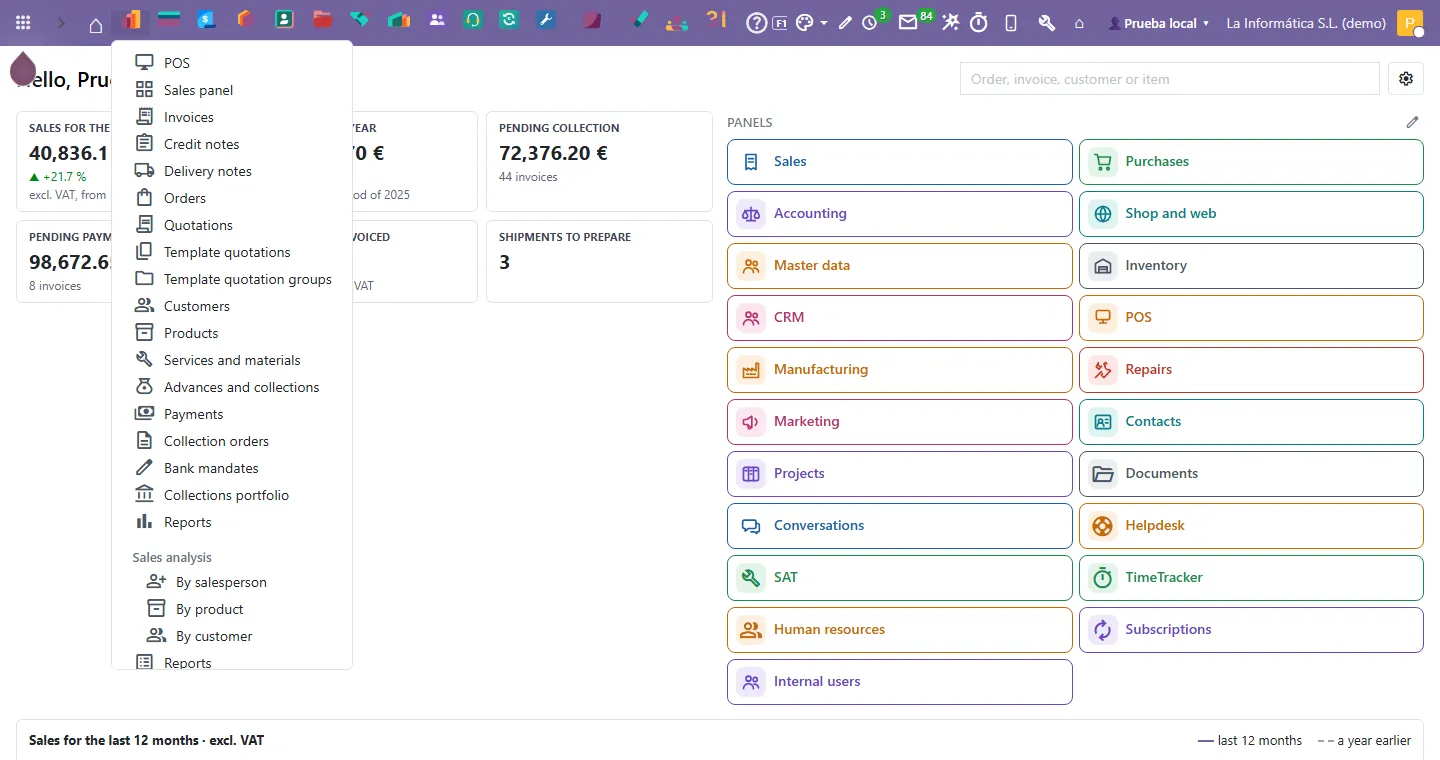
At the top there is a menu per area, with all its options and each one with its icon. It is the other way to reach everything, besides the dashboards.

▶ In motion: the top bar and its dropdowns.
- 1The house always goes back to Home. Esc goes back to the previous screen.
- 2One menu per area. Alt + number opens the menu; ← → move to the next one.
- 3The options of the area, each with its icon; ↑ ↓ move through them and Enter opens.
- 4Assistant, email, conversations, activities, mobile view… the ones each person has.
| Alt + number | Open the right top menu |
| ↑ ↓ | They go through its options |
| ← → | They move to the next menu |
| Enter | Open the option |
| Esc | Closes and goes back |
Estos son los menús de este GERP ODOO (386 opciones). Cada persona ve solo los de los tableros que tiene y, si el administrador marca «Opciones de los menús» en su ficha, solo las opciones elegidas una a una.
Sales
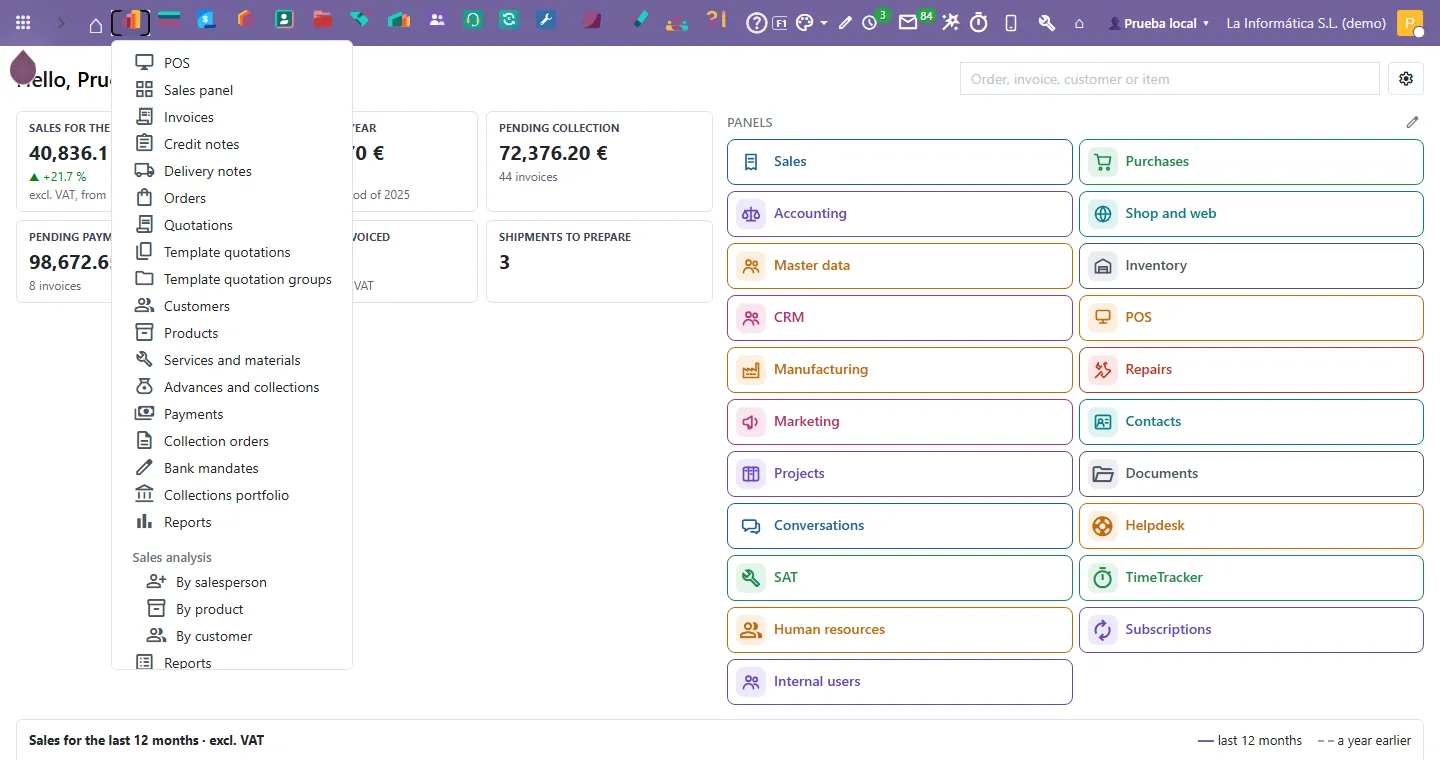
- TPV
- Ventas por profesional
- Agenda de citas
- Sales dashboard
- Invoices
- Credit notes
- Delivery notes
- Orders
- Quotes
- Standard quotes
- Standard quote groups
- Customers
- Products
- Services and materials
- Advances and collections
- Payments
- Collection orders
- Bank mandates
- Collections portfolio
- Reports
- Sales analysis › By salesperson
- Sales analysis › By product
- Sales analysis › By customer
- Lists
- Management dashboard
- Price lists
- Help
- Configuration › Quote templates
- Configuration › Sales order types
- Configuration › Headers and footers
- Settings
- Custom lists
- Fees
- Invoicing by customer
- Invoice fees
- Fee types
- Texts
- POS settings
Purchases

- Purchases dashboard
- Invoices
- Refunds
- Invoice scanning
- Delivery notes
- Orders
- Quotes
- Payments portfolio
- Payments
- Payment orders
- Reports
- Lists
- Custom lists
- Suppliers
- Products
- Supplier price lists
- Expenses
- Scan receipts
- Expense reports
- Configuration › Units and packaging
- Settings
- Expense settings
Accounting

- Accounting dashboard
- Result of the year
- Treasury
- Taxes
- Remittances
- Transactions › Accounting journal entries
- Transactions › Analytic entries
- Bank and cash › Bank statements
- Bank and cash › Statements
- Bank and cash › Import statement
- Bank and cash › Import statement (Norma 43)
- Bank and cash › Reconcile
- Scanned invoices
- Closing › Lock dates
- Closing › Renumber journal entries
- Closing › Secure journal entries
- Closing › Fiscal year closing
- Review › Accounting entries
- Review › Audit trail
- Assets and depreciation › Active
- Assets and depreciation › Depreciation (calculate)
- Analytics › Analytic balance
- Analytics › Analytics by program
- Analytics › Cost centers
- Analytics › Programs / Projects
- Analytics › Allocation of indirect costs
- Analytics › Analytics manual
- Reports › Invoice analysis
- Reports › Cash flow analysis
- Reports › Analytic report
- Reports › Asset analysis
- Reports › Financial assets report
- Reports › General ledger
- Reports › General journal
- Reports › Trial balance
- Reports › Open items
- Reports › Debt quality
- Reports › Tax report
- Reports › Tax table
- MIS reports › MIS reports
- MIS reports › Latest reports generated
- MIS reports › MIS budgets (by KPIs)
- MIS reports › MIS budgets (by accounts)
- AEAT returns › Model 111
- AEAT returns › Model 115
- AEAT returns › Model 123
- AEAT returns › Model 130
- AEAT returns › Model 190
- AEAT returns › Model 303
- AEAT returns › Model 347
- AEAT returns › Model 349
- AEAT returns › Model 390
- AEAT returns › Veri*Factu certificates
- AEAT returns › VAT and IRPF books
- Configuration › Chart of accounts
- Configuration › Tax types
- Configuration › Journals
- Configuration › Currencies
- Configuration › Fiscal positions
- Configuration › Several ledgers
- Configuration › Fiscal years
- Configuration › Statement import mappings
- Configuration › Reconciliation models
- Configuration › Payment methods
- Configuration › Payment methods
- Configuration › Technical payment methods
- Configuration › Account labels
- Configuration › Payment terms
- Configuration › Product categories
- Configuration › Online payments
- Settings
- Asset settings › Asset categories
- Asset settings › Asset groups
- Analytic configuration › Analytic accounts
- Analytic configuration › Analytic plans
- Analytic configuration › Analytic distribution models
Warehouse
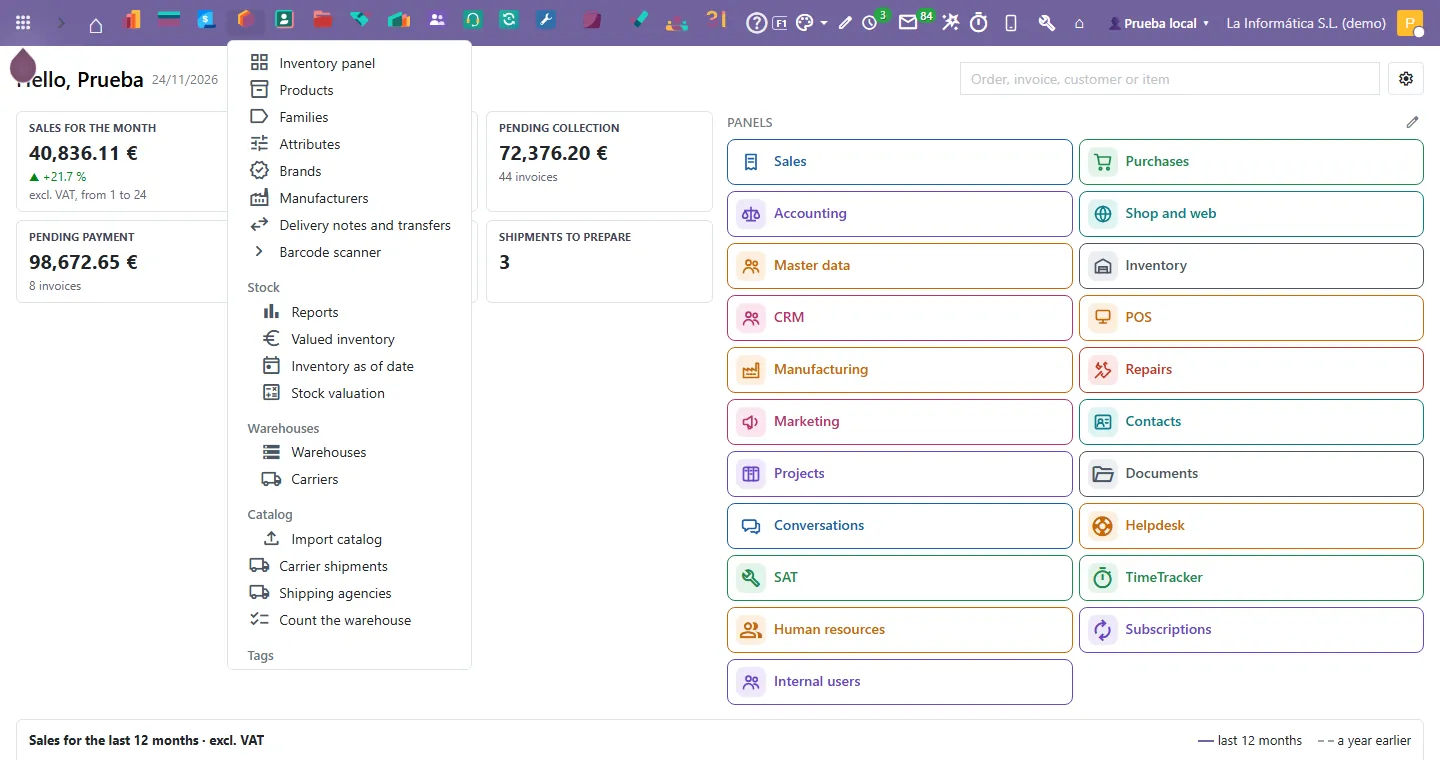
- Warehouse dashboard
- Products
- Categories
- Attributes
- Brands
- Manufacturers
- Delivery notes and transfers
- Barcode reader
- Stock › Reports
- Stock › Valued inventory
- Stock › Inventories at date
- Stock › Stock valuation
- Warehouses › Warehouses
- Warehouses › Carriers
- Catalog › Import catalog
- Shipments with carrier
- Transport agencies
- Count the warehouse
- Labels › Label design
- Labels › Shelf labels
- Labels › Labels
- Labels › Label formats
- Labels › Label jobs
- Labels › Traceability labels
- Labels › Label printers
- Lists
- Custom lists
- Stock adjustment
- Settings
Master data
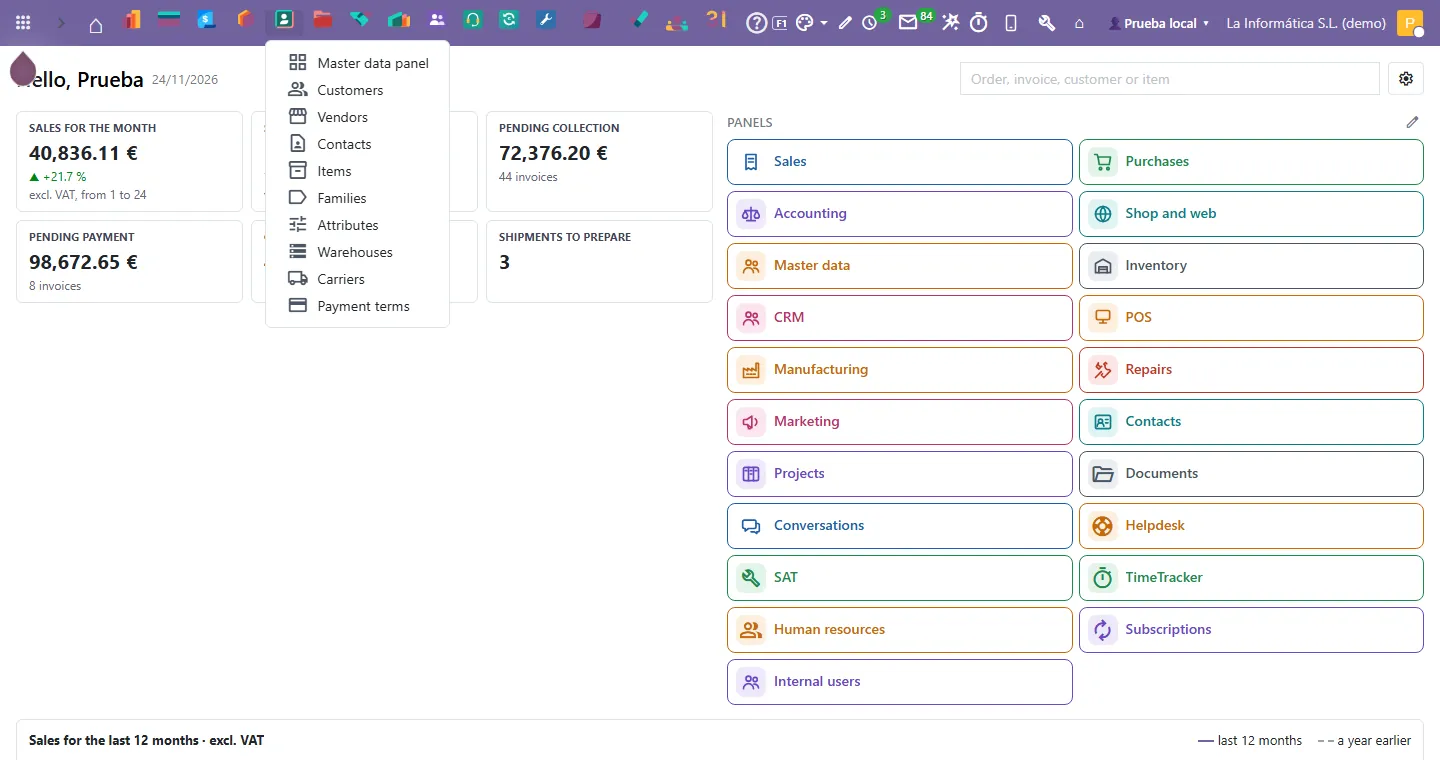
- Master data dashboard
- Customers
- Suppliers
- Contacts
- Products
- Categories
- Attributes
- Warehouses
- Carriers
- Payment terms
Documents

- Direct printing › Print jobs
- Direct printing › Printers
- Direct printing › Computers
- Direct printing › Printer per action
- Direct printing › Printer per user
- Files
- Folders
- External storage
- Signatures
- Signature templates
- Settings
- PDF document settings
CRM
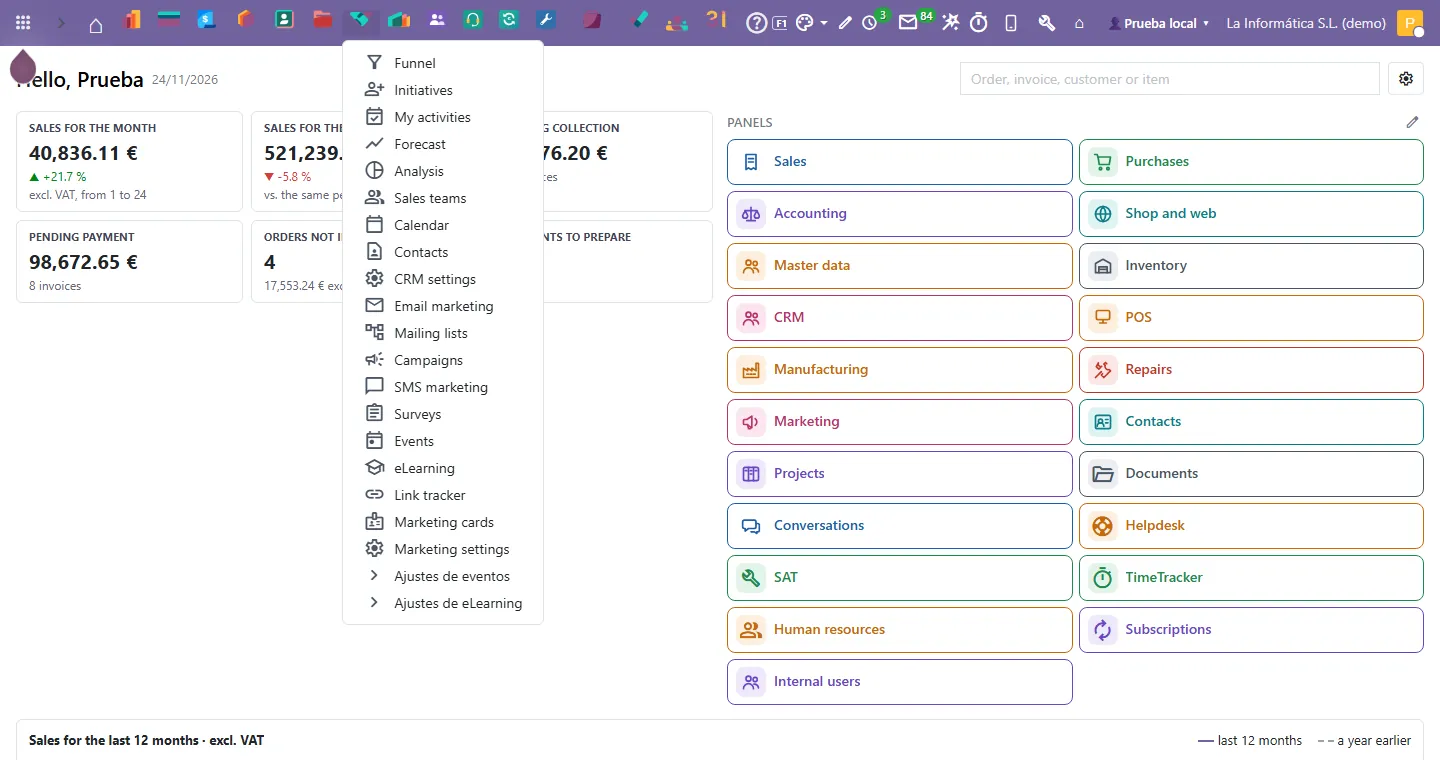
- Funnel
- Initiatives
- My activities
- Forecast
- Analysis
- Sales teams
- Calendar
- Contacts
- CRM settings
- Email marketing
- Email lists
- Campaigns
- SMS marketing
- Surveys
- Events
- eLearning
- Link tracker
- Marketing cards
- Marketing settings
- Event settings
- eLearning settings
Manufacturing

- Manufacturing dashboard
- Repairs
- Manufacturing orders
- Work orders
- Planning
- Disassemblies
- Data › Products
- Data › Bills of materials
- Data › Work centers
- Data › Operations
- Reports › Work order analysis
- Reports › Equipment efficiency
- Reports › Workloads of the work centers
- Custom lists
- Settings
- Maintenance settings
Subscriptions
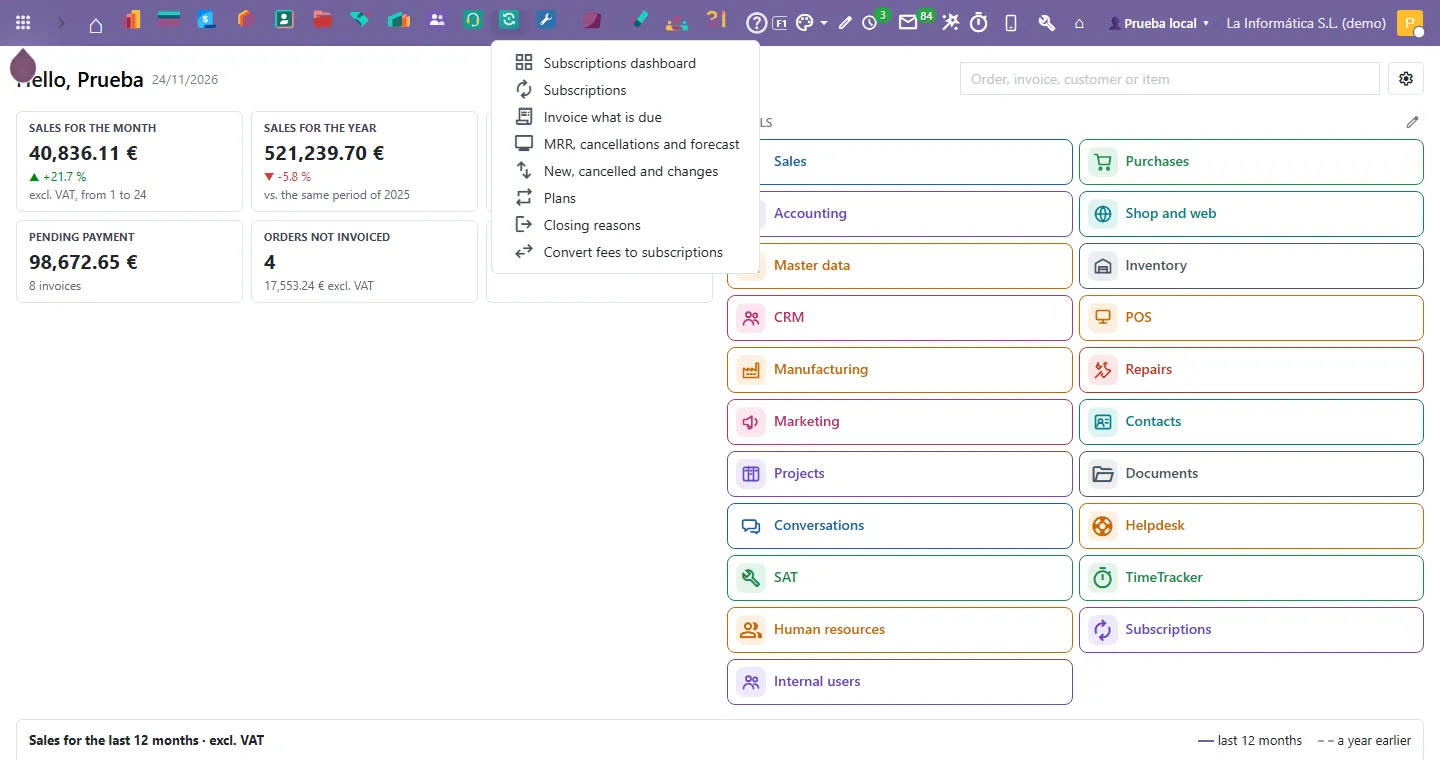
- Subscriptions dashboard
- Subscriptions
- Invoice what is overdue
- MRR, cancellations and forecast
- Sign-ups, cancellations and changes
- Plans
- Closing reasons
- Transfer fees to subscriptions
Hospitality and POS
- Panel de hostelería
- Abrir el TPV
- Reservas
- Calendario de reservas
- Mesas abiertas
- Pantallas de cocina y barra
- Pantalla de recogida (avisadores)
- Carta › Artículos de la carta
- Carta › Familias de la carta
- Carta › Menús y combos
- Carta › Carta QR y kiosco
- Carta › Web del restaurante
- Salas y mesas
- Ventas del TPV › Tickets
- Ventas del TPV › Cierres de caja
- Ventas del TPV › Sales analysis
- Configuration › Cajas del TPV
- Configuration › Zonas de preparación
- Configuration › Web y reservas
- Configuration › Formas de pago del TPV
- Configuration › Impresoras de cocina
- Configuration › POS settings
Support
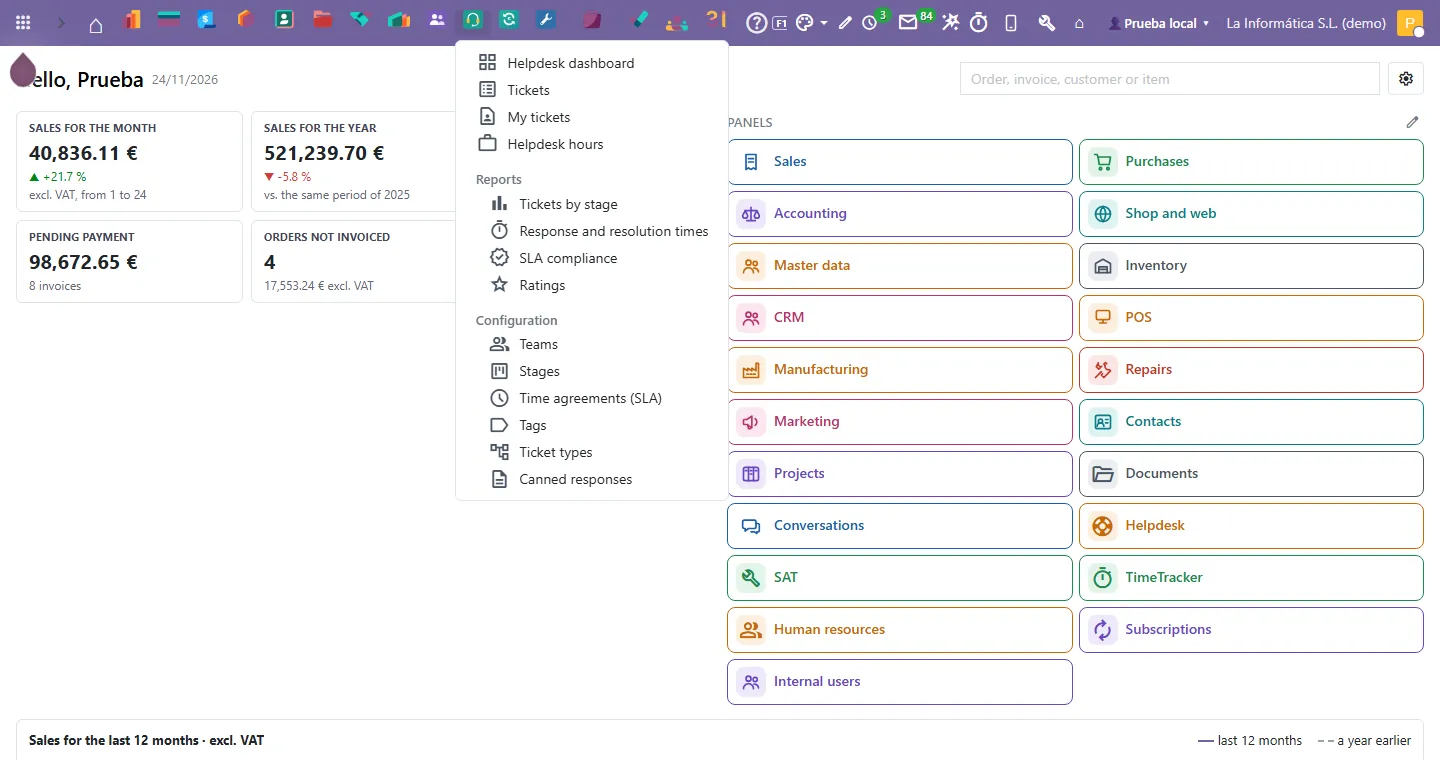
- Support dashboard
- Tickets
- My tickets
- Support hours
- Reports › Tickets by stage
- Reports › Response and resolution times
- Reports › SLA compliance
- Reports › Ratings
- Configuration › Equipment
- Configuration › Stages
- Configuration › Service level agreements (SLA)
- Configuration › Labels
- Configuration › Ticket types
- Configuration › Predefined replies
SAT
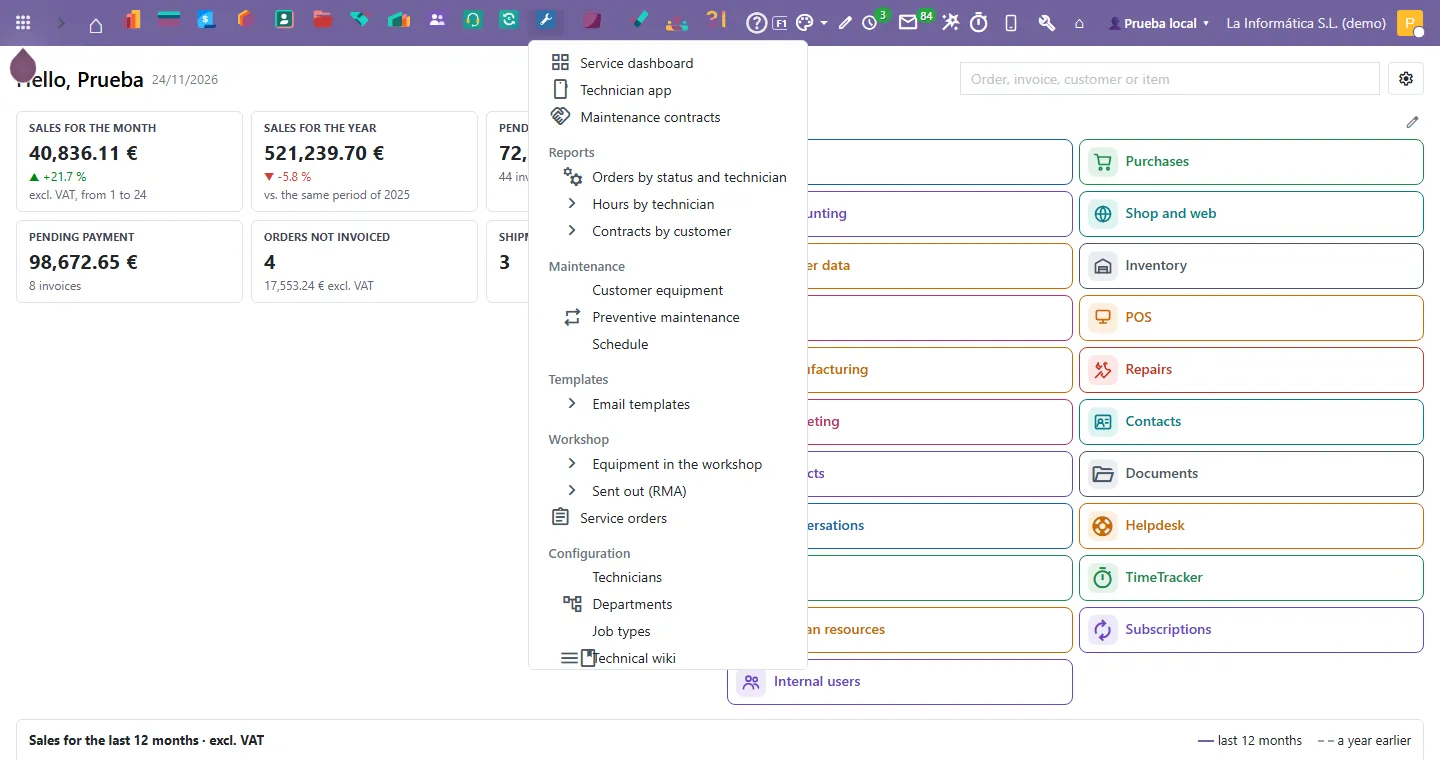
- SAT dashboard
- Technician app
- Maintenance contracts
- Reports › Orders by status and technician
- Reports › Hours per technician
- Reports › Contracts per customer
- Maintenance › Customer equipment
- Maintenance › Preventive maintenance
- Maintenance › Agenda
- Templates › Email templates
- Workshop › Equipment in the workshop
- Workshop › Outgoing items sent out (RMA)
- Service orders
- Configuration › Technicians
- Configuration › Departments
- Configuration › Job types
- Configuration › Technical wiki
Shop and web

- Shop dashboard
- Live chat
- Chat conversations
- Chatbots
- Custom lists
- Settings
Projects

- Projects
- My tasks
- All tasks
- Timesheets
- Updates
- Task analysis
- Settings
- Timesheet settings
RRHH
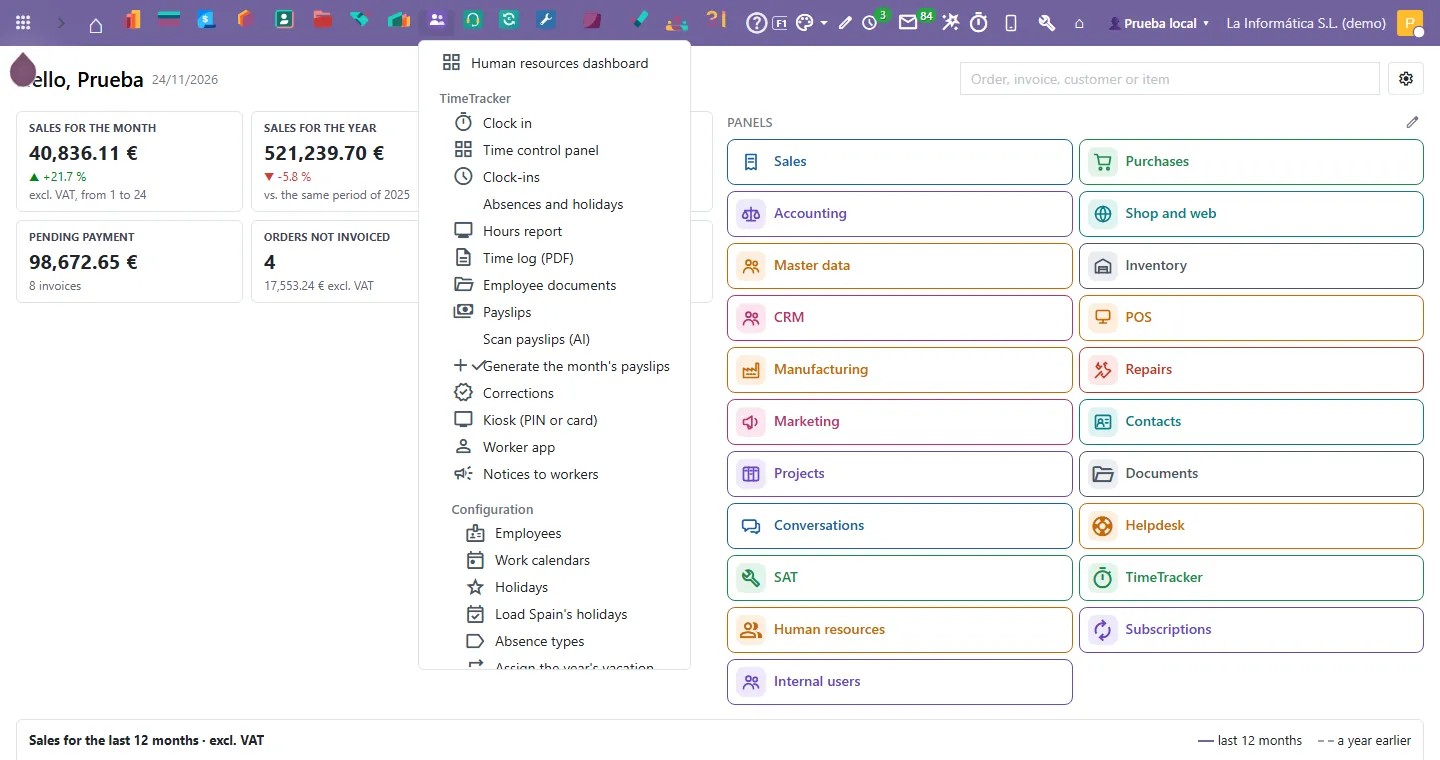
- Human resources dashboard
- TimeTracker › Clock in
- TimeTracker › Time tracking dashboard
- TimeTracker › Clockings
- TimeTracker › Absences and holidays
- TimeTracker › Hours report
- TimeTracker › Time log (PDF)
- TimeTracker › Employee documents
- TimeTracker › Payslips
- TimeTracker › Scan payslips (AI)
- TimeTracker › Generate the month's payslips
- TimeTracker › Corrections
- TimeTracker › Kiosk (PIN or card)
- TimeTracker › Worker app
- TimeTracker › Notices to workers
- TimeTracker › Configuration › Employees
- TimeTracker › Configuration › Work calendars
- TimeTracker › Configuration › Holidays
- TimeTracker › Configuration › Load holidays for Spain
- TimeTracker › Configuration › Absence concepts
- TimeTracker › Configuration › Assign the year's holidays
- Employees
- Departments
- Payslips
- Scan payslips (AI)
- Generate the month's payslips
- Absences and holidays
- Absences to approve
- Absence allocations
- Attendances
- Attendance report
- Employee expenses
- Expense reports
- Timesheets
- Projects
- Recruitment › Requests
- Recruitment › Workstations
- Recruitment › Talent pools
- Recruitment › Recruitment analysis
- Recruitment › Recruitment settings
- Settings
- Attendance settings
- Recruitment settings
- Expense settings
- Timesheet settings
Users
- Users
Calendar
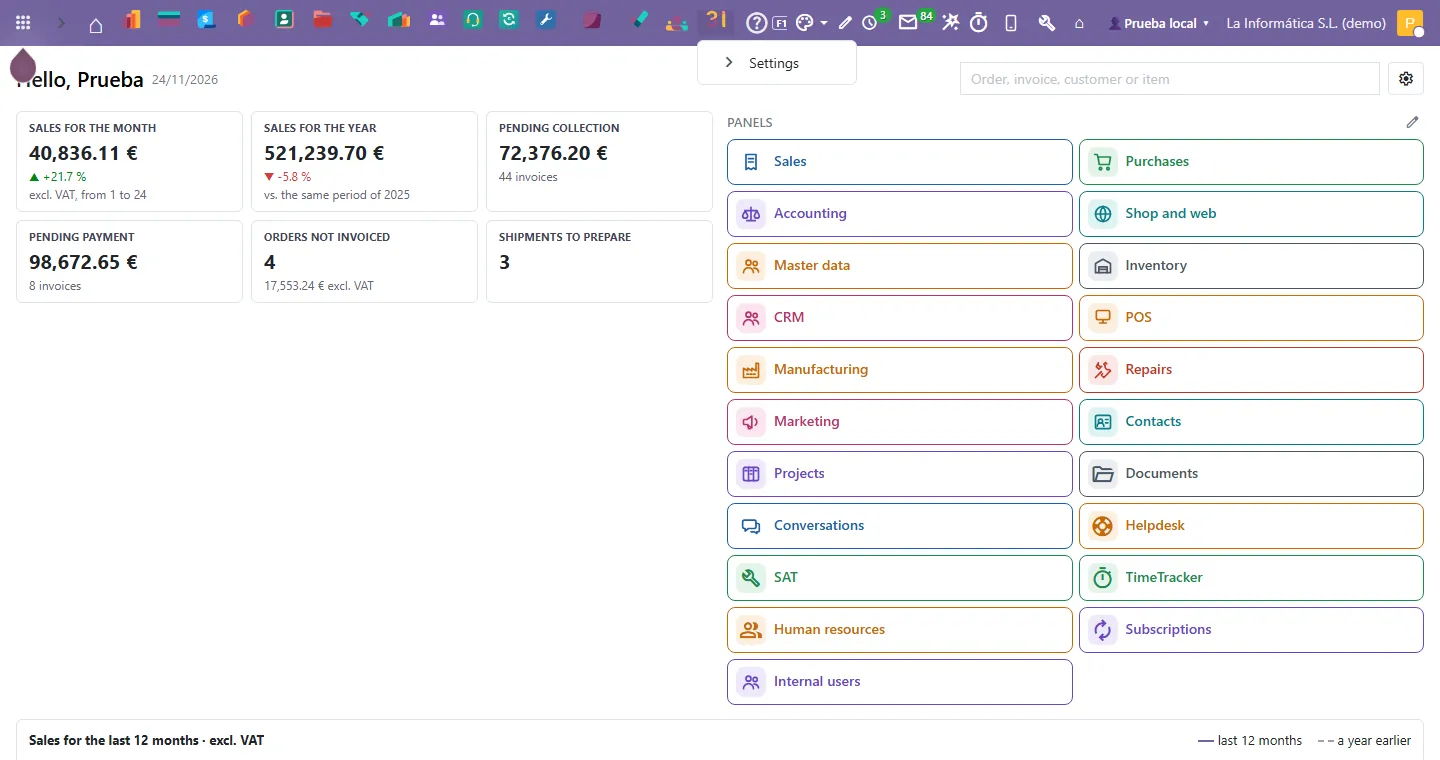
- Calendar
Miscellaneous
- Conversations
- Pending activities
- Employees
- Spreadsheets
- Spreadsheet labels
- Imports
- Data cleanup
- Fleet › Vehicles
- Fleet › Vehicle contracts
- Fleet › Services
- Fleet › Odometers
- Fleet › Fleet costs
- Fleet › Fleet settings
- Maintenance › Maintenance requests
- Maintenance › Equipment
- Maintenance › Maintenance analysis
- Maintenance › Maintenance settings
- Meals › New food order
- Meals › My order history
- Meals › Today's orders
- Meals › Food suppliers
- Meals › Food products
- Meals › Meal settings
- Live chat › Visitors
- Live chat › Session analysis
- Live chat › Agent performance
- Live chat › Chat channels
- Apps
Tasks and hours
- Tasks
- Hours log
- Projects
- Custom lists
Wiki
- Products
- All products
- Favorites
- Templates
- Trash
- Labels
- Load examples
Help center
- Help center
All menus.
Rating
There are no comments for now.
to be the first to leave a comment.