GERP ODOO Course
Completed
Remittances and SEPA mandates
Collection remittances (direct-debit receipts) and payment remittances with their four steps and the SEPA file, returns and customer mandates.

▶ In motion: a SEPA remittance, step by step.
- Mandate: the customer signs the mandate and it is saved in their record.
- Remittance: the direct-debit receipts that fall due are grouped together.
- File: the SEPA file is generated for the bank.
- Bank: it is uploaded to the bank and, once credited, they are considered collected.
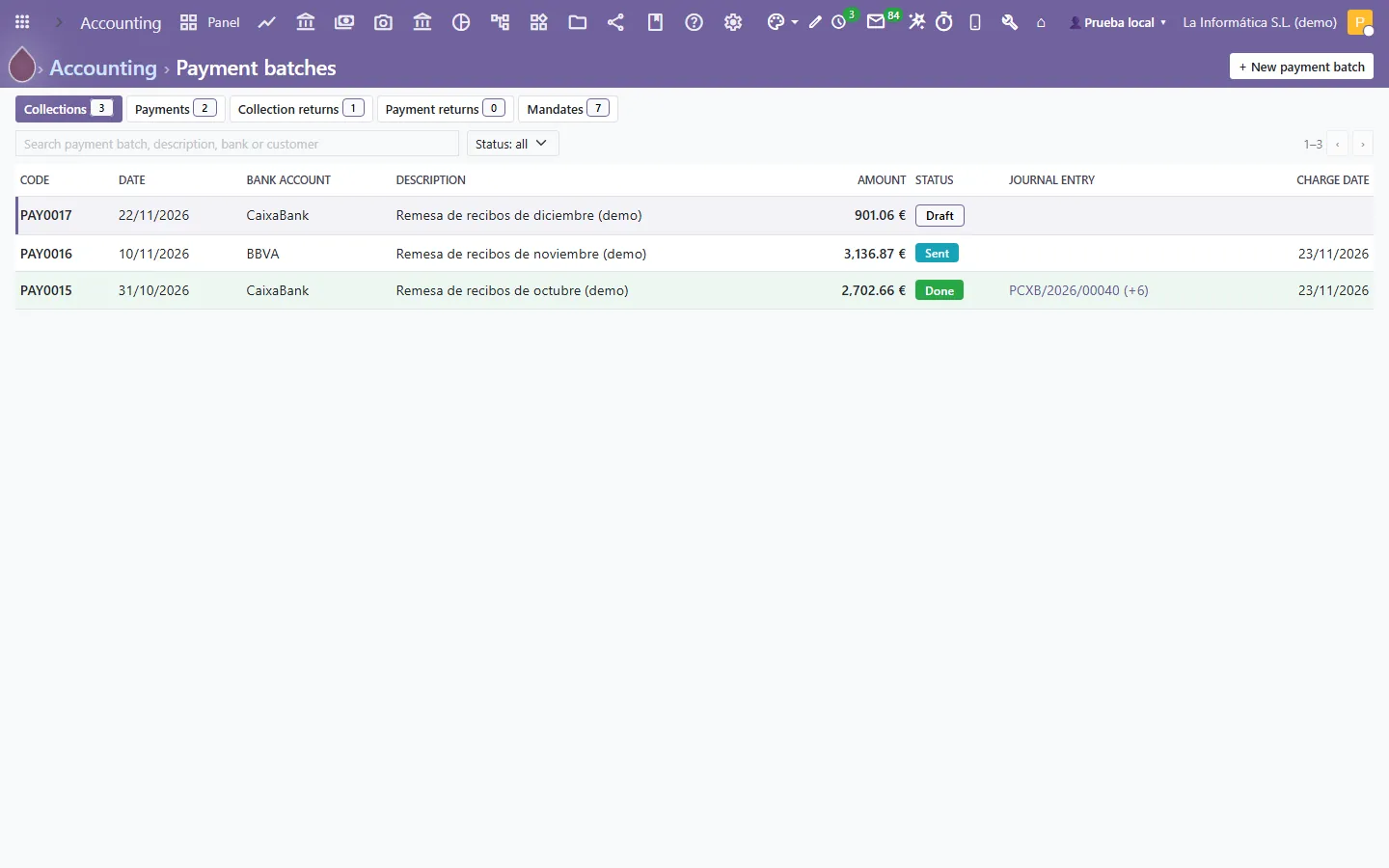
1. A remittance
It is created, the receipts are prepared, the file for the bank is downloaded and it is marked as collected.

▶ In motion: a remittance, point by point.
- 1Remittance types with their counter.
- 2The four steps; each one is pressed when its turn comes.
- 3The receipts with the IBAN; «Return» if the bank returns it.
How it is done
- New remittance, bank and charge date.
- 1: add the direct-debit receipts that are due.
- 2: mark it as ready.
- 3: download the SEPA file and upload it to the bank.
- 4: mark it as collected; the journal entry is made.
2. The return of a receipt
In the remittance, «Return» on the receipt.
3. The payment remittances
Remittances › Payments › New.
4. The SEPA file
Step 3: download the SEPA XML.
5. The Creditor ID
It goes on the company; the bank provides it.
6. Receipts without a mandate
It warns about receipts without a mandate.
7. The CORE or B2B type
CORE or B2B on remittance and mandate.
8. The collected remittances
Entry column.
9. Group receipts by customer
«Group receipts by customer» box.
Frequently asked questions
How do I make a direct debit batch?
Accounting › Remittances › New: add receipts, mark ready, download the SEPA file and mark as collected.
How do I create a SEPA mandate?
In Remittances › Mandates: create it with the IBAN and send it by email or portal to be signed.
How do I record a returned receipt?
In the remittance, «Return» on the receipt.
How do I pay several suppliers at once?
Remittances › Payments › New.
How do I download the bank file?
Step 3: download the SEPA XML.
How do I set the creditor identifier?
It goes on the company; the bank provides it.
How do I see customers without mandate?
It warns about receipts without a mandate.
How do I choose CORE or B2B?
CORE or B2B on remittance and mandate.
How do I see a remittance's entry?
Entry column.
How do I group a customer's receipts?
«Group receipts by customer» box.
Why can't I see Remesas y mandatos SEPA?
If you can't see it, your internal user lacks the «contabilidad» permission: the administrator grants it in Home › Internal users.
Collection remittances (direct-debit receipts) and payment remittances with their four steps and the SEPA file, returns and customer mandates.
There are no comments for now.